Welcome to your Client Portal
A quick guide to tracking work, requesting help, and staying in sync.
On this page
Overview
Your portal gives you a live view of your assigned team, what they're working on, and an easy way to request additional help. Everything is read‑only and safe—no accidental changes to your data.
Your Team
See names, roles, skills, and contact details of assigned workers.
Tasks
Track status (To do / In progress / Done) and due dates at a glance.
Requests
Ask for additional manpower and upload a job description for speed.
See what your workers are doing
1
Open Portal → Your Assigned Team
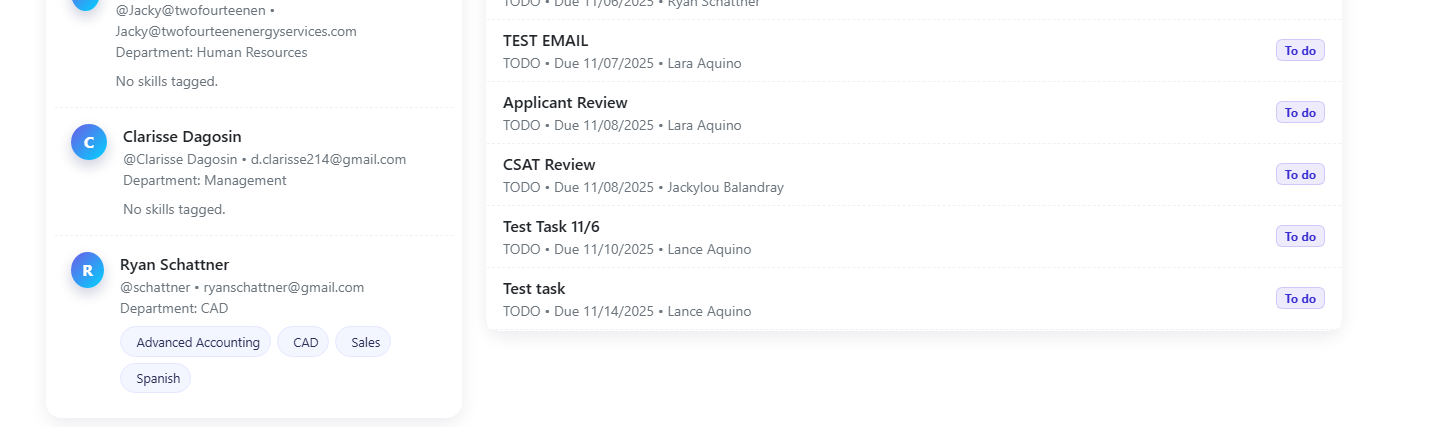
You'll see a list of assigned workers with department, email, and skill tags.
2
Check skill tags to confirm fit
Skill chips summarize what each worker is great at (e.g., AutoCAD, PV Design).
- Need more context? Use the Feedback tab to call out wins or gaps.
- Want changes? Use the Manpower Request tab to request additional staff.
Track tasks & progress
1
Open Portal → Tasks
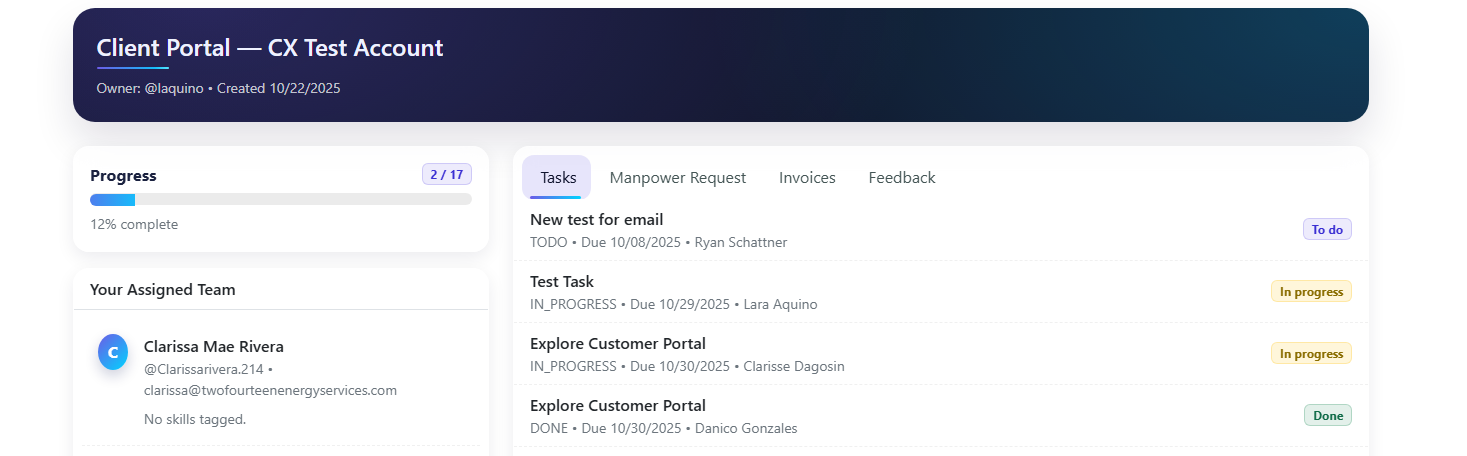
Tasks are ordered by due date. Status badges show To do / In progress / Done.
2
Use the progress bar in the left panel
It summarizes total tasks vs. completed work so you can gauge momentum.
Have questions about a task? Mention your account manager via your normal channel and include the task name.
Request more manpower
1
Open Portal → Manpower Request
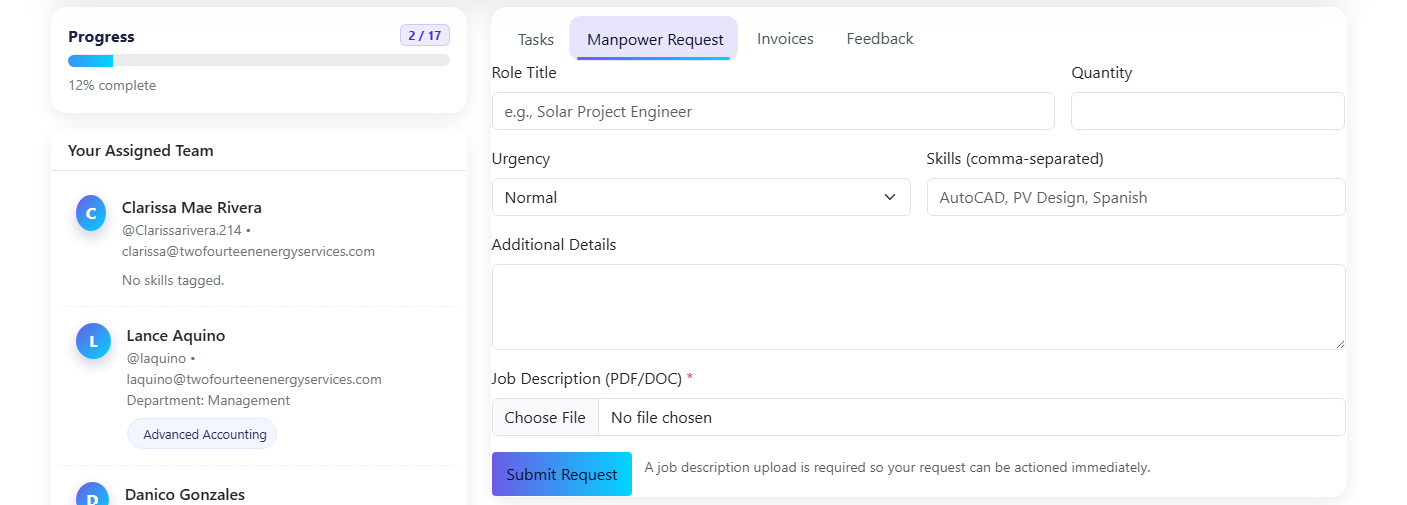
Fill in role title, quantity, urgency, and skills.
2
Upload a Job Description (required)
We use the JD to match the right people quickly. PDF/DOC supported.
3
Submit and you're done
We'll create an internal opportunity and follow up with timelines.
Tip: If urgency is Urgent, include dates, time zone, and any tooling access needs.
View invoices
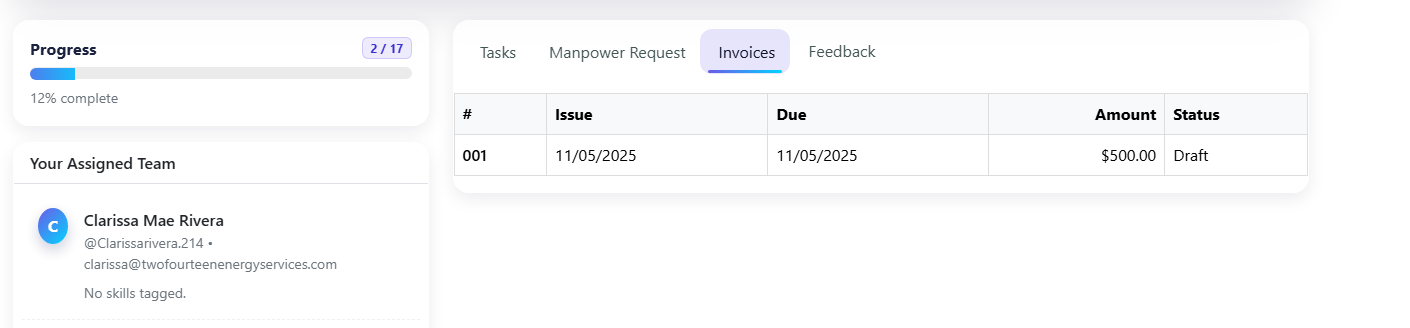
Go to Portal → Invoices to see issue dates, due dates, amounts, and status. For billing questions, reply to your usual invoice email thread or contact your account manager.
Share feedback (CSAT)
Use Portal → Feedback to rate individual performance on Overall, Reliability, Communication, and Quality (1–5). Leave comments to highlight wins or request improvements.
- Your feedback notifies our team and is attached to your account record.
- We review all CSAT weekly and adjust staffing or processes as needed.
Pro tips & FAQs
Access is limited to your organization's designated contacts. Inside our system, only your account team can view your portal.
PDF, DOC, and DOCX are supported. If you have multiple files, zip them and attach the zip.
Urgent requests are triaged immediately. Standard requests are acknowledged within 1 business day with an ETA.
Use the Shared Documents button at the top of your portal. It opens your Drive/SharePoint folder.
Need help? Contact your account manager or email support@twofourteenenergyservices.com.
Open Portal